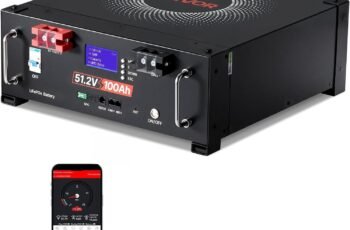
Are you looking for a reliable way to monitor your battery bank and make smarter decisions about charging, load management, and backup power?

Product Overview: Victron Energy BMV-700 Battery Monitor with Shunt & Display – 6.5-95 VDC – Grey
You’ll find the Victron Energy BMV-700 is built to give you clear, real-time insight into your battery system. It handles a wide voltage range from 6.5 to 95 VDC and combines a display with a shunt in a specially housed enclosure for safety in higher-voltage systems.
What this product does for you
This battery monitor tracks essential parameters like state of charge (SoC), voltage, current, and remaining time/energy, so you can avoid unexpected power loss. You can program a relay to automate protective actions like starting a generator or disconnecting sensitive loads when thresholds are hit.
Who it’s for
If you manage batteries in an RV, boat, off-grid cabin, or industrial application, this monitor gives you the kind of actionable data you need to manage capacity and longevity. You get hands-on visibility into your battery health without relying on guesswork.
Key Features and How You’ll Use Them
Here are the primary features you’ll interact with and why they matter to your setup. Each feature is practical and supports common use cases in mobile and stationary battery systems.
Voltage range: 6.5–95 VDC
You’ll be able to use the BMV-700 on a wide variety of battery banks, from single-bank 12 V and 24 V systems up to higher-voltage configurations. That range makes the unit flexible for many installations without needing multiple models.
% State of Charge (SoC) display
Seeing SoC as a percentage makes it easier for you to understand how much usable energy remains. Instead of estimating from voltage alone, the SoC gives a more reliable measure when you’ve entered correct battery capacity and efficiency values.
Current and energy/time remaining
The monitor shows instantaneous current and an estimate of time remaining at the current discharge rate, helping you decide when to reduce load or start charging. You’ll find that this helps plan activities that consume power and prevents surprises.
Programmable relay
You can configure the relay to do things like start a generator, switch loads, or trigger an alarm based on voltage or SoC thresholds. That automation can prevent damage to the battery and reduce manual intervention.
Connectivity: VE.Direct and Bluetooth (dongle sold separately)
You can connect the BMV-700 to GX devices via a VE.Direct cable to send data to Victron’s VRM portal for remote monitoring. If you prefer local monitoring on a smartphone or tablet, the VE.Direct Bluetooth Smart dongle (sold separately) makes it possible.
Included shunt in special enclosure
Because the monitor is meant for relatively high-voltage applications, the shunt comes housed in a special enclosure to keep installation safe and compliant. You’ll appreciate the attention to safety, especially when wiring higher-voltage or higher-current systems.
Quick Specs Table
This table breaks down the most important information so you can scan and understand the product at a glance.
| Feature | What it means for you | Why it matters |
|---|---|---|
| Voltage range: 6.5–95 VDC | Works with small to high-voltage battery banks | Flexibility across many systems (12 V, 24 V, 48 V and higher) |
| % State of Charge (SoC) | Shows remaining capacity as a percentage | Easier planning and better battery care |
| Current measurement | Real-time charge/discharge current display | Helps detect unusual loads and charging rates |
| Time/energy remaining | Estimates how long the battery will last | Helps avoid unexpected shutdowns |
| Programmable relay | Can control generator or battery protect devices | Enables automation and protection |
| VE.Direct connectivity | Connects to GX devices and VRM, or Bluetooth dongle | Remote and local monitoring options |
| Shunt housed in enclosure | Safer installation for high-voltage use | Reduces risk during wiring and operation |
| Display | On-device visual feedback with easy programming | Quick local diagnostics and settings changes |
Installation: What you’ll need and how to prepare
You’ll want to prepare carefully and plan the physical layout before you wire anything. This helps ensure safety and simplifies future troubleshooting.
Tools and parts you should have ready
Have basic hand tools, appropriate-size cable lugs, torque wrench for shunt connections, and any mounting hardware that suits your installation location. Also make sure you have the cables and any optional accessories like the VE.Direct cable or Bluetooth dongle if you plan remote monitoring.
Safety and professional guidance
Because incorrect installation can be hazardous, you should consult a licensed electrician or certified installer if you’re not experienced with high-voltage DC wiring. Follow all applicable electrical codes and Victron’s installation instructions to minimize risk.
Mounting the display and shunt
Mount the display in a location that is easy to access and read under typical operating conditions. The shunt should be mounted in its special enclosure and placed as close as practical to the battery negative (or system ground) to ensure accurate current measurement and to reduce cable length carrying full system current.
Wiring basics without oversimplifying
You’ll connect the shunt in series with the negative battery cable so all current flows through it, while the display connects to the shunt to measure voltage drop and calculate current. Tight, clean connections and properly sized conductors are critical for safety and accuracy.
Setup and Programming: Get accurate readings from day one
You’ll get the best performance when you enter accurate system parameters during initial setup. Spend a little time configuring capacity and charge/discharge thresholds and the monitor will return more useful, reliable data.
Battery capacity and type settings
Enter the correct nominal capacity (Ah) of your battery bank so the SoC calculation has a true baseline. You’ll also set battery type and possibly charge efficiency or Peukert settings if your monitor supports them — these improve SoC accuracy.
Calibration and zeroing
There are procedures to set the monitor to zero current and ensure the shunt is recognized properly. You should follow the included instructions to avoid skewed current measurements and SoC drift.
Setting relay thresholds and behavior
Program the relay to trigger at specific voltage, SoC, or time thresholds and define whether it’s normally open or closed. You’ll want to test the switch behavior in a safe manner before relying on it for automated protection.
Display preferences
Adjust the display contrast and which parameters cycle or remain visible based on what you check most often. You’ll save time when the screen shows your priority metrics at a glance.
Using Bluetooth and GX/VRM: Monitor locally and remotely
You’ll appreciate flexibility in how you monitor your system. Whether you want hands-on local checks or full remote visibility, the BMV-700 supports both routes (with accessories sold separately).
Local monitoring with VE.Direct Bluetooth dongle
If you buy the VE.Direct Bluetooth dongle, you can pair your smartphone or tablet and view live and historical data through Victron’s apps. That gives you the convenience of checking your battery’s status without physically accessing the display.
Remote monitoring with GX devices and VRM
Connect the BMV-700 to a Victron GX device via VE.Direct cable and upload data to VRM (Victron Remote Management). You can then monitor your battery system from anywhere in the world, receive alerts, and analyze trends over time.
Why you might choose one approach over the other
Pick Bluetooth if you want occasional local checks and don’t need continuous internet access. Choose GX + VRM if you want historical data, alerts, and remote troubleshooting. Both approaches can be used together for maximum flexibility.
Practical use cases and relay examples
You’ll likely use the relay and monitoring data to automate and protect your system in ways that save time and reduce risk. Here are some common scenarios you might adopt.
Automatic generator start/stop
You can program the relay to start a generator when SoC drops below a threshold and stop it when charging completes. That keeps your battery bank from getting deeply discharged when you aren’t present.
Load shedding and battery protect
Use the relay to disconnect nonessential loads automatically when voltage or SoC hits a critical level. This protects the battery from damage due to excessive discharge and preserves enough capacity for essential systems.
Alarm triggering
Program the relay to activate an audible or visible alarm if voltage or current readings indicate a potentially unsafe condition. You get a quick prompt to check the system before damage occurs.
Understanding the shunt and enclosure: safety and accuracy
The shunt is the heart of current measurement, and Victron’s enclosed housing reflects attention to safe operation in higher-voltage systems. You should understand how to work safely around it.
Why a shunt is necessary
The shunt creates a small, precisely known voltage drop that the monitor measures to calculate current. Since almost all current flows through the shunt, correct wiring and secure connections are vital for accurate readings.
Enclosed shunt benefits
Because the shunt is used in higher-voltage systems, the enclosure reduces the chance of accidental shorts and exposure to live parts. You’ll benefit from increased safety especially in cramped or shared spaces.
Maintenance tips
Periodically check connections for tightness and any signs of corrosion, discoloration, or heat. Loose or corroded connections can introduce measurement error and pose a fire risk.
Performance and accuracy considerations
You’ll get solid accuracy from a properly installed and configured BMV-700, but real-world factors affect how close reported numbers match reality.
Factors that affect accuracy
Accuracy depends on correct shunt installation, correct battery capacity and efficiency settings, and stable wiring. Environmental conditions such as extreme temperature can also influence readings slightly.
How to optimize accuracy
Calibrate the monitor, confirm the shunt is properly sized and mounted, and periodically perform a full charge/discharge cycle to help reset State of Charge calculations. Accurate settings and routine checks keep SoC and time-to-go estimations reliable.
Troubleshooting common issues
When you encounter odd readings or behavior, a few methodical checks usually reveal the problem. You can often correct issues without professional help, but don’t hesitate to call someone licensed for electrical problems.
Monitor shows incorrect SoC
Check that the battery capacity, charge efficiency, and shunt wiring are correct. A full charge calibration cycle can help the monitor re-learn the battery’s true capacity.
No current reading or zero current
Verify the shunt wiring and ensure the monitor’s sense wires are connected properly. Also confirm that the shunt enclosure connections are tight and that there’s continuity through the shunt.
Relay not switching
Confirm the relay configuration parameters and test the relay manually if the monitor provides a test function. Check wiring to the controlled device and any intermediate control circuitry.
Connectivity problems
If Bluetooth pairing fails, ensure the VE.Direct Bluetooth dongle is compatible and mounted correctly, and that the smartphone app has proper permissions. For GX device connections, verify the VE.Direct cable and connections are correct.
Pros and Cons: What you’ll like and what to watch for
You’ll want a balanced view to decide if the BMV-700 matches your needs. Below are strengths and potential limitations to consider.
Pros
- Clear, actionable data including % SoC and time remaining. You’ll plan power usage more confidently.
- Programmable relay gives practical automation and protection options. You can reduce manual intervention by scheduling protective actions.
- Wide voltage range supports many battery configurations. Flexibility means one product fits multiple systems.
- Safety-minded shunt enclosure for higher-voltage use. You get reduced exposure to live parts during installation.
Cons
- Bluetooth and VE.Direct accessories are sold separately, so total cost can rise if you want wireless or remote access. You’ll need to budget for the dongle or GX connectivity if those features matter.
- Initial setup requires careful programming to get accurate SoC — there’s a learning curve. You’ll need to invest time in setup or hire someone who knows battery monitoring.
- If you expect integrated internet monitoring out of the box, you’ll need additional components to achieve that. Remote monitoring requires a GX device or Bluetooth + phone pairing.
Comparison with general alternatives (what you should consider)
You’ll find other brands and models offering integrated Bluetooth, different displays, or built-in remote access. Consider the following when comparing:
- Integrated Bluetooth models: If you want out-of-box smartphone access without extra dongles, look at models with built-in Bluetooth. These may be more convenient but evaluate data logging and remote portal features.
- Smart battery monitors with BMS integration: Some monitors interface directly with specific battery management systems for deeper per-cell data; that’s valuable if you need cell-level diagnostics.
- Simpler voltage-only monitors: If you only need basic voltage and alarm, a simpler device can be cheaper but won’t give SoC or time-to-go estimates.
Maintenance and long-term care
You’ll get the best life and accuracy if you maintain both the monitor and the battery system. Simple checks pay off in system reliability.
Periodic checks
Inspect the shunt and connections for tightness and corrosion every few months depending on environment. Review historical data if you use VRM to spot slow performance changes.
Firmware and software updates
If you connect to Victron’s ecosystem, keep firmware and app software up to date. Updates may add features or improve compatibility and reliability.
Battery maintenance matters
Remember that the monitor reports battery behavior but won’t fix a failing battery. Keep proper charging procedures and environmental controls to extend battery life.
Frequently Asked Questions (FAQs)
You’ll probably have specific questions while planning or using the monitor. Here are answers to common queries that users often ask.
Do I need the VE.Direct Bluetooth dongle to use the monitor?
No — the monitor works on its own for local display and relay functions. You’ll need the dongle if you want Bluetooth monitoring on a smartphone or tablet.
Can the relay handle high current loads directly?
The relay is typically meant for control signals or switching medium loads and is often used to trigger other devices (like a battery protect or generator). Consult the product documentation for exact relay ratings and use a proper contactor or relay as needed for heavy loads.
Is the shunt included?
Yes — the product includes a shunt housed in a special enclosure designed for safety in higher-voltage systems. You’ll still need to wire it correctly and place it near the battery negative.
Can I use this with any battery chemistry?
You can use the monitor with lead-acid, AGM, gel, and many lithium systems, but you must set the correct battery parameters. Some advanced chemistry-specific features may require additional configuration or supporting devices.
Is installation difficult?
Installation requires basic DC wiring skills and an understanding of battery systems. If you’re not comfortable with high-current DC wiring, get a licensed professional to install it.

Final verdict: Is this the right choice for your system?
If you want reliable, clear battery monitoring with useful automation via a programmable relay and the flexibility to monitor locally or remotely (with extra accessories), this monitor should suit you well. You’ll benefit most when you or your installer configures it correctly and integrates it into a well-maintained battery system.
Who should buy it
You should consider the Victron Energy BMV-700 if you operate an RV, boat, off-grid system, or industrial battery installation where accurate SoC and automated control matter. It’s particularly useful when you want a robust, established brand and the option to expand into Victron’s monitoring ecosystem.
When another option might be better
If you need built-in Bluetooth or an integrated cloud solution with no additional hardware, there are models that include those features out of the box. Also, if you require cell-level monitoring or specialized BMS communication, look for solutions designed specifically for those needs.
Useful tips before you buy and last reminders
You’ll have a smoother experience if you plan ahead and consider accessories and installation needs. The monitor is powerful, but it works best when integrated into a carefully thought-out system.
- Budget for the VE.Direct Bluetooth dongle or VE.Direct cable and a GX device if you want remote or wireless monitoring. These are sold separately and expand functionality.
- Confirm the relay’s switching ratings and plan to use appropriate contactors for heavy loads. Safety first.
- Measure and verify your battery bank’s actual capacity if you’re unsure; correct inputs yield better State of Charge estimates.
- Keep installation instructions and wiring diagrams handy and follow local electrical codes.
If you want, I can help you create a checklist for installation, recommend which accessories to buy depending on your setup, or walk you through the programming steps for your battery type and relay behavior. Which would you like to do next?
Disclosure: As an Amazon Associate, I earn from qualifying purchases.